Client approval software
A clear yes for every room, on record.
Design approvals usually end up as a thumbs-up somewhere in a WhatsApp thread. With Enfilade, clients approve each room or ask for changes from one private link, and every decision is kept with a name and a time.
Your first project is free, with everything in it. No card needed.
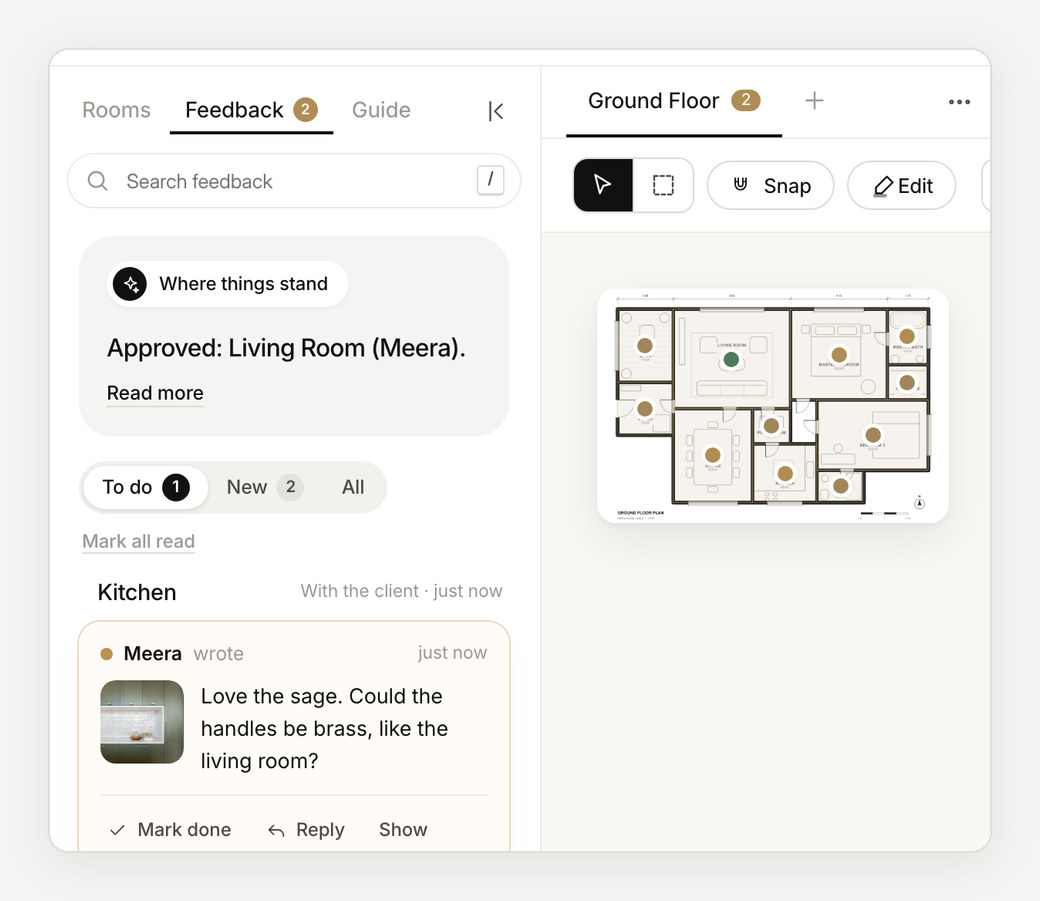
Approvals that don't get lost.
Weeks into a project, nobody can say whether the kitchen was agreed, or which tile it was. In Enfilade each room has its own answer: approved, or changes asked, signed by the person who gave it and timed.
When a decision is questioned on site months later, you can point to it.
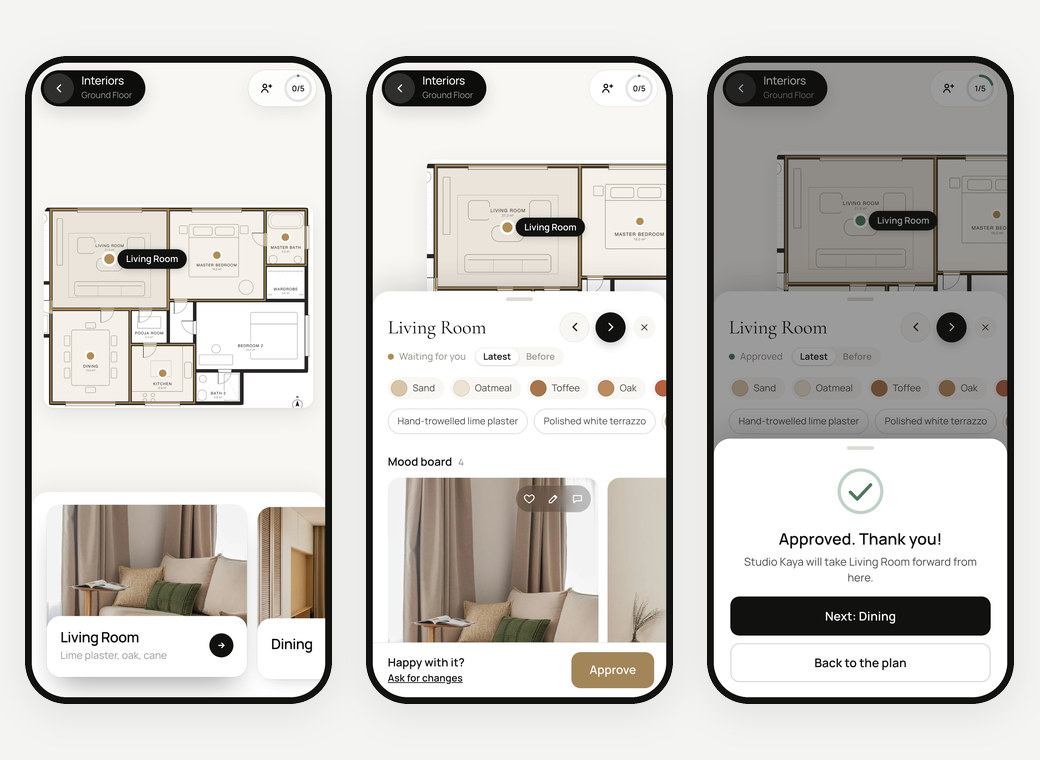
Feedback on the exact image.
Clients heart the pictures they love and pin a note on the one that should change, or add a picture of what they have in mind.
The note stays with that image, in that room, in that version, so nothing is lost in translation.
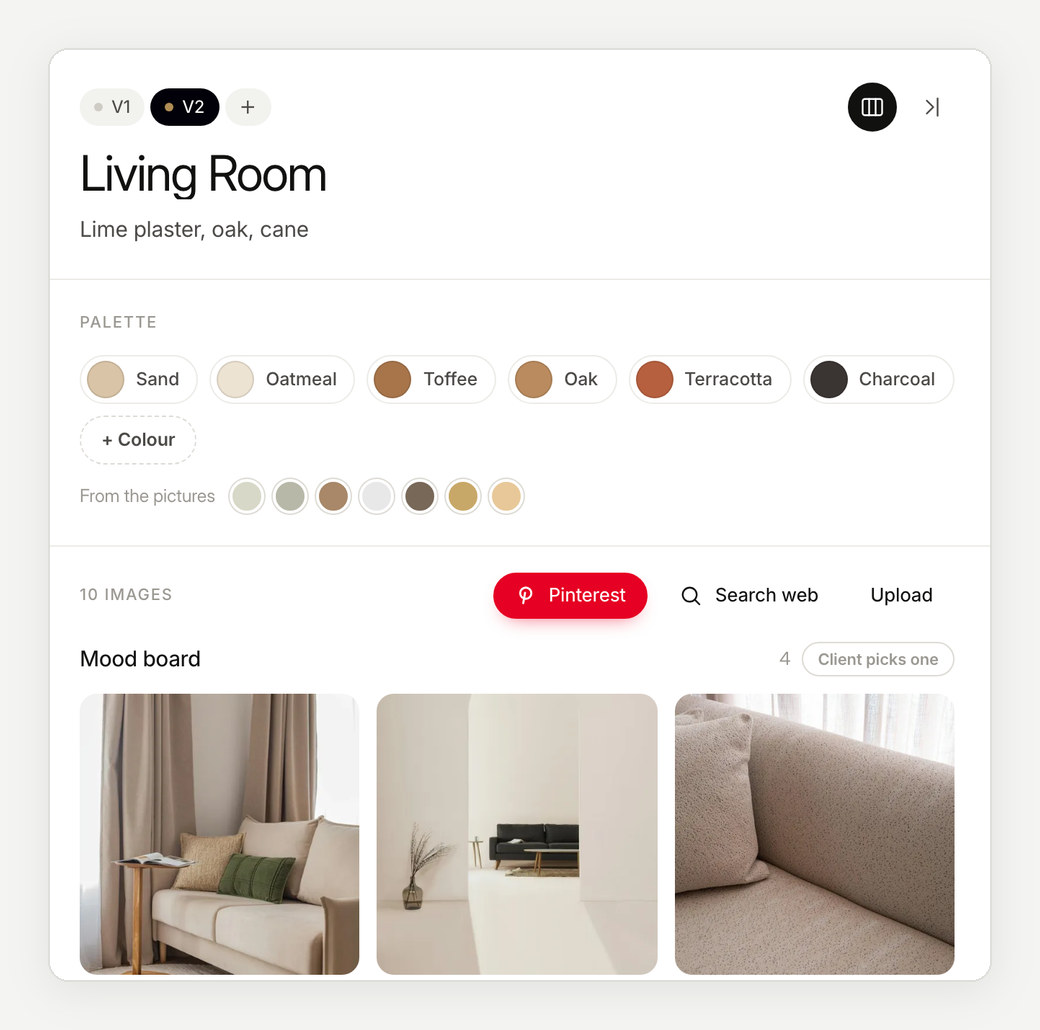
Every version, and what changed.
Each round you send is kept as its own version. Clients can look back at the earlier one, and you can see what they asked for, what you changed and what they finally approved, without files named FINAL_v7.
Approved on a call instead? Record it against the room, so the record stays complete.
Revisions counted against the contract.
Set how many revision rounds a project includes. Enfilade counts the rounds room by room, so an extra round can be billed or waived knowingly, not argued about later.
How it works
From plan to approval, in three steps.
- 01
Send a room
When a room is ready, send it. The client's book shows it at once.
- 02
The client decides
Approve, or ask for changes with a note on the image.
- 03
It stays on record
Name, time and version, for every room of every project.
Questions
What does an approval record?
The room, the version, who approved it and when. Notes asking for changes stay pinned to the image they are about.
Can several family members review?
Yes. Everyone you send the link to can open it, and each person adds their name when they react or decide.
A client approved on a call. Can that go on record?
Yes. Mark the room approved on a call, and it is recorded as such, beside the approvals given in the book.
Who can see a project?
Only the people you send its link to. Every project has its own private link.
More about Enfilade
- Interior design presentation softwareInterior design presentations that build themselves.→
- Mood board software for interior designersMood boards that live on the floor plan.→
- For architectsYour floor plan, now a clickable design book.→
- For interior designers and architects in IndiaDesign approvals the whole family can give.→
- Enfilade, the wordWhat is an enfilade?→
- About EnfiladeWhat is Enfilade?→
- Why EnfiladeStudios design with care. Then the decisions get lost in a chat thread.→
- CompareHow Enfilade compares.→