For architects
Your floor plan, now a clickable design book.
Clients struggle to read drawings, but they understand rooms. Enfilade starts from the CAD plan you already have and turns it into something a client can walk through on a phone, room by room, and approve.
Your first project is free, with everything in it. No card needed.
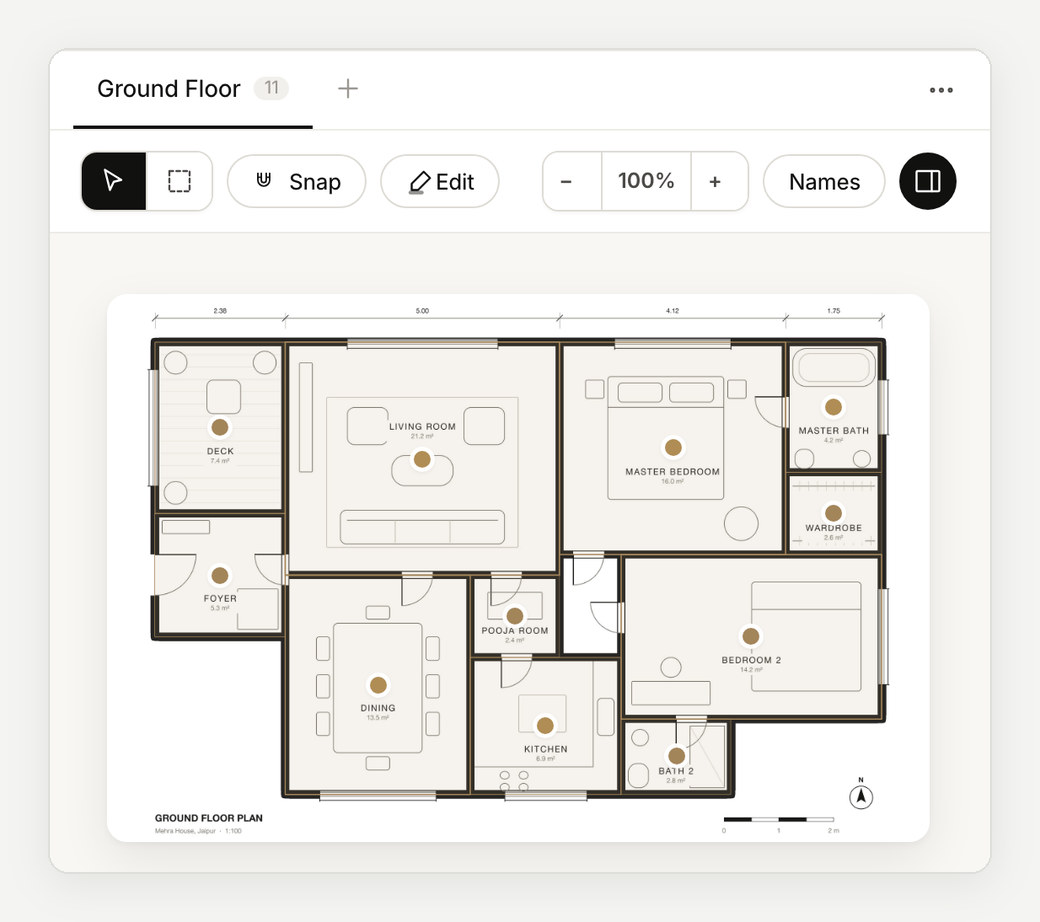
It starts from your CAD drawing.
Export the plan as a PDF from AutoCAD, ArchiCAD or Revit, or use an image. Enfilade reads the walls, marks each room for you to check, and suggests names from the drawing's own room tags.
A multi-page set lets you pick up to five floors.
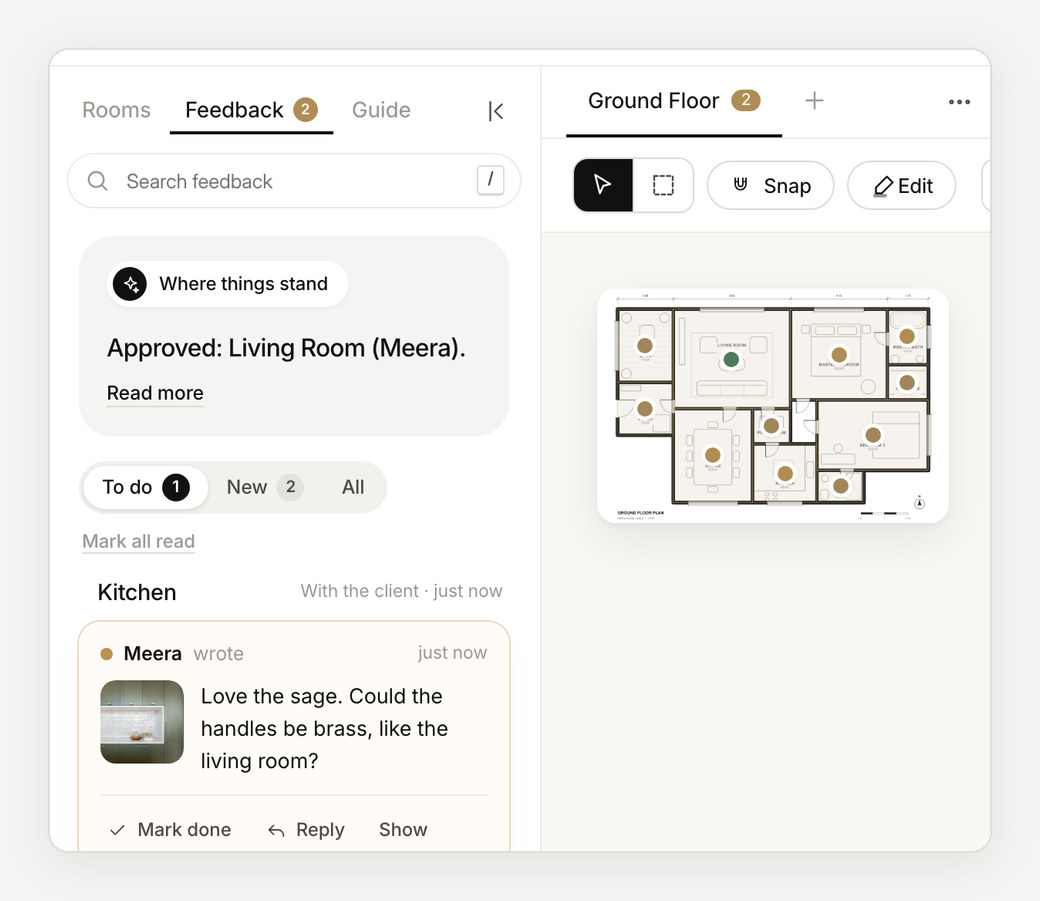
Every stage of the project, in one link.
Interiors, facade, landscape: each stage is a chapter of the same design book, with its own versions. The client always opens the current one, and the earlier ones stay on record.
Present it, then send the same thing.
Open it full screen in the meeting, hand over a PowerPoint built from the same work, and send the link afterwards. Whatever the client approves later is tied to what they saw.
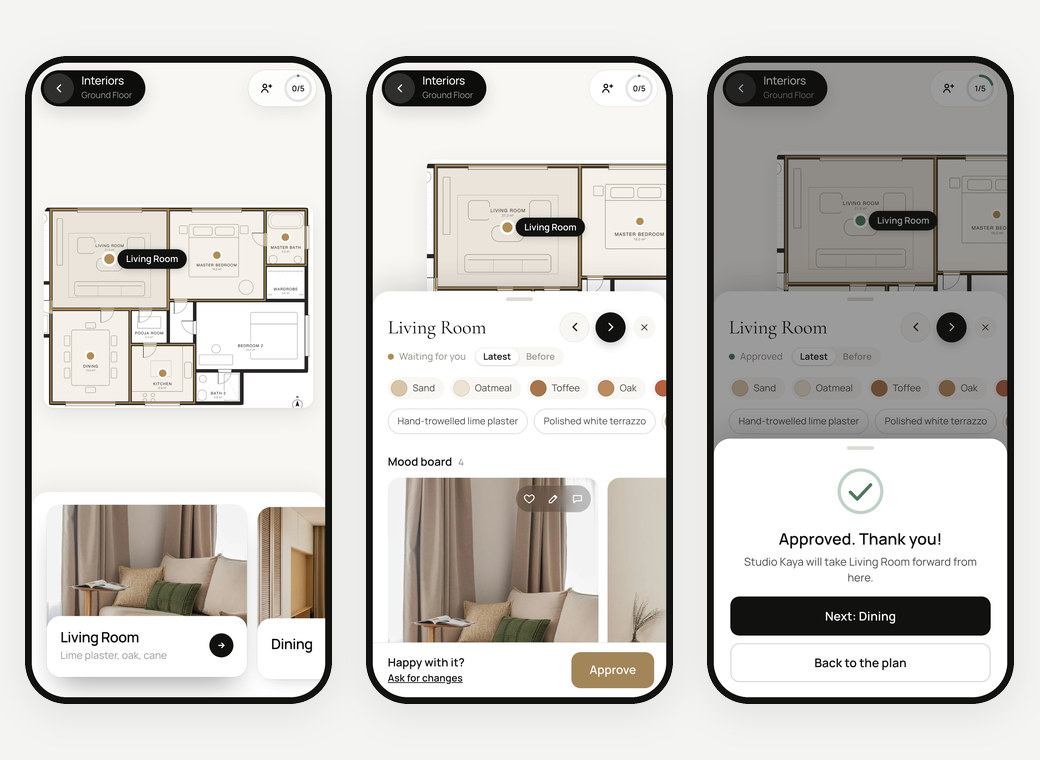
A record you can point to.
Approvals, change requests and billed revision rounds are kept room by room, with names and dates. When a decision is questioned on site, the answer is a tap away.
How it works
From plan to approval, in three steps.
- 01
Export a PDF
From AutoCAD, ArchiCAD, Revit or SketchUp, as you would for a print.
- 02
Check the rooms
They're marked from the drawing. Name them, then give each its design.
- 03
Share the book
One private link per project, opened on any phone.
Questions
Which CAD files can I use?
A PDF exported from your CAD software works best, because Enfilade reads its walls directly. Images of plans work too. DWG and Revit files need exporting to PDF first, and Enfilade explains how if you drop one in.
Does my studio's name lead, or yours?
Yours. Your studio's name is on every page your client sees, and ours stays out of the way.
Does it replace our project management software?
No. Enfilade covers the design conversation with the client: presentations, feedback and approvals. It sits beside the tools you use for drawings, budgets and site.
What does it cost?
Your first project is free. After that, pay per project or go unlimited with Studio. See pricing.
More about Enfilade
- Interior design presentation softwareInterior design presentations that build themselves.→
- Client approval softwareA clear yes for every room, on record.→
- Mood board software for interior designersMood boards that live on the floor plan.→
- For interior designers and architects in IndiaDesign approvals the whole family can give.→
- Enfilade, the wordWhat is an enfilade?→
- About EnfiladeWhat is Enfilade?→
- Why EnfiladeStudios design with care. Then the decisions get lost in a chat thread.→
- CompareHow Enfilade compares.→