Mood board software for interior designers
Mood boards that live on the floor plan.
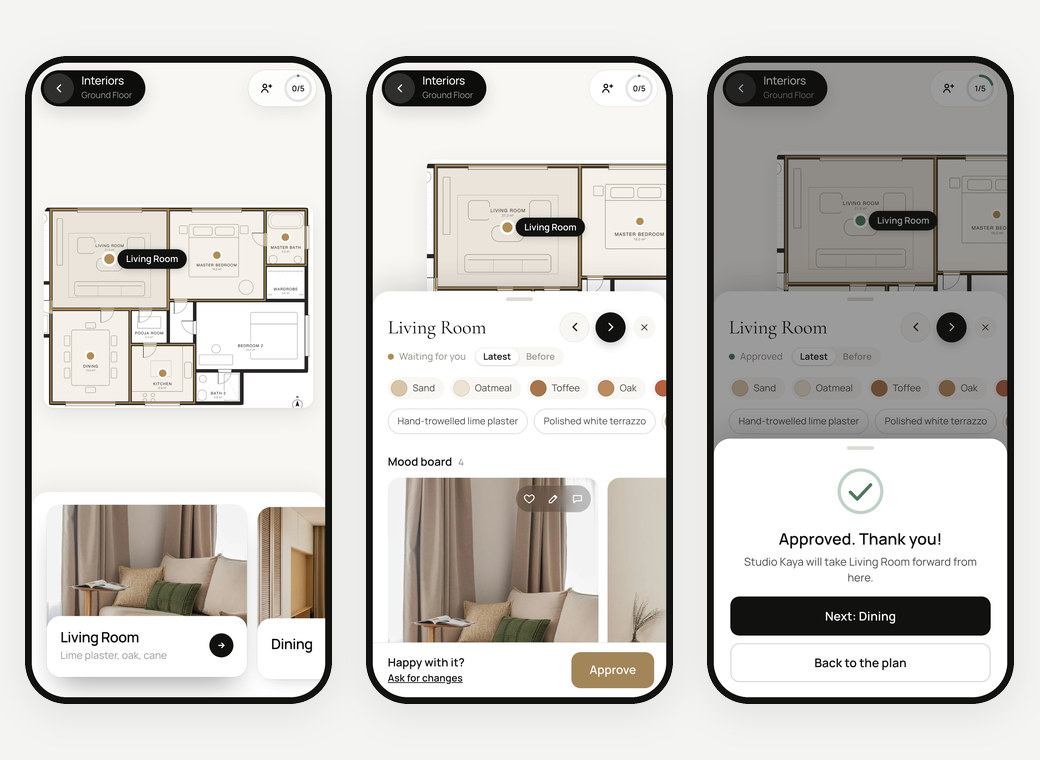
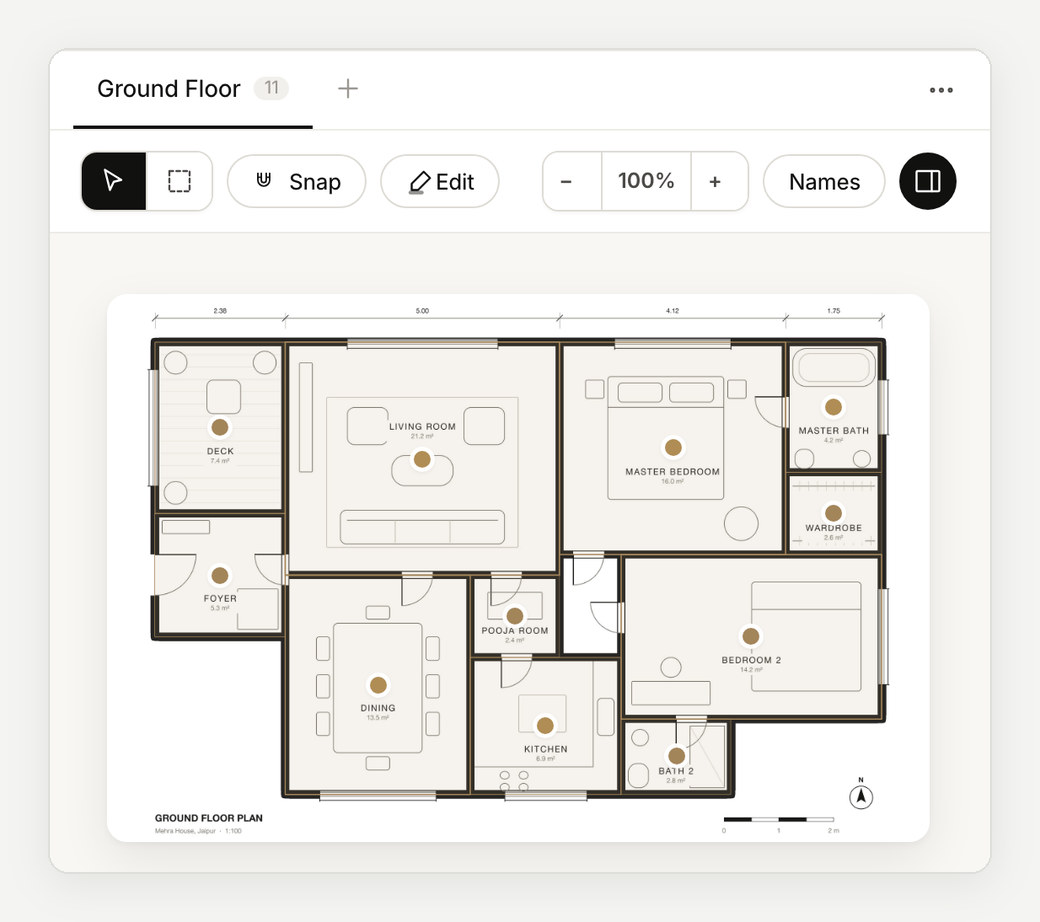
A mood board means more when the client can see where it goes. In Enfilade every room on your plan has its own board, with images, palette, materials and notes, opened with one tap on the plan.
Your first project is free, with everything in it. No card needed.
Images from anywhere.
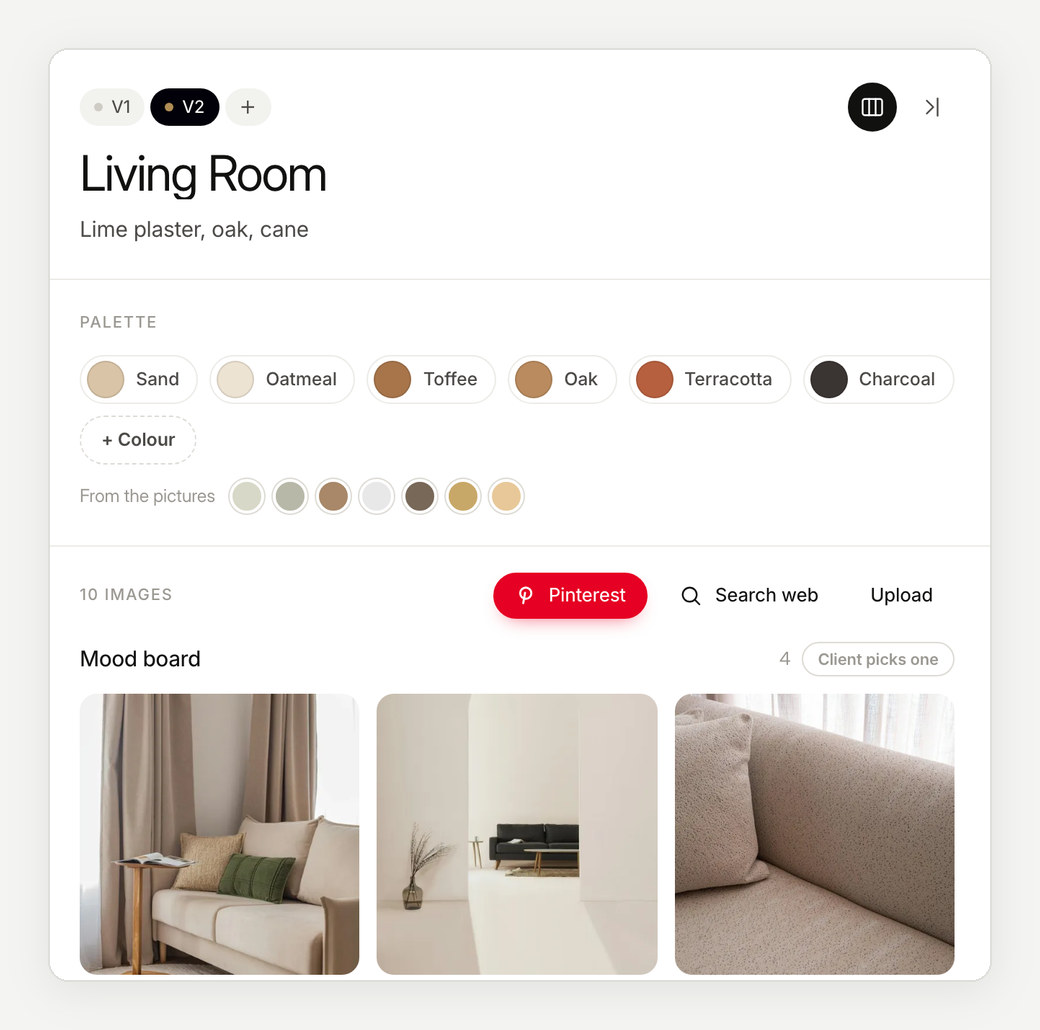
Search Pinterest or the web in a window beside the board and drag pictures in, or drop, paste and upload your own renders, product shots and site photos.
Clients see the board as a mosaic, every picture in its own shape and never cropped.
A palette from the pictures.
Name the room's colours and materials, or take them from the pictures themselves. The palette sits at the top of the board, so the client reads the idea before the details.
Options for the client to choose from.
Put two to four options in a section and the client picks one: the sofa fabric, the tile, the pendant. Their pick comes back to you with the room.
On the plan, not in a folder.
Each board is pinned to its room on the drawing, so the client moves through the home the way they will live in it. Give rooms a line of their own, like “Lime plaster, oak, cane”, and group spaces that read as one.
How it works
From plan to approval, in three steps.
- 01
Drop in your plan
Every room on it becomes a space with its own board.
- 02
Fill the boards
Pictures from anywhere, the palette, materials and a note.
- 03
Share one link
The client taps a room, hearts what they love and approves it.
Questions
Can I bring in pictures from Pinterest?
Yes. Search Pinterest or the web beside the board and drag images onto a room, or upload and paste your own.
Which spaces can have a board?
Any space you mark on the plan: rooms, terraces, staircases, a pooja room or a whole wing.
What does my client see?
Their plan with every room marked. One tap opens a room's board, where they heart images, pin notes and approve the room.
Can I use it in a meeting?
Yes. Present the boards full screen in the studio, or download the project as a PowerPoint.
More about Enfilade
- Interior design presentation softwareInterior design presentations that build themselves.→
- Client approval softwareA clear yes for every room, on record.→
- For architectsYour floor plan, now a clickable design book.→
- For interior designers and architects in IndiaDesign approvals the whole family can give.→
- Enfilade, the wordWhat is an enfilade?→
- About EnfiladeWhat is Enfilade?→
- Why EnfiladeStudios design with care. Then the decisions get lost in a chat thread.→
- CompareHow Enfilade compares.→