Interior design presentation software
Interior design presentations that build themselves.
Mark the rooms on your plan and give each one its mood board. Enfilade turns that work into the presentation: a design book your client opens from one link, a full-screen deck for the meeting, and a PowerPoint to send.
Your first project is free, with everything in it. No card needed.
Stop building decks after the design is done.
Most studios design twice: once in the drawings and boards, and again in InDesign, Canva or PowerPoint to show it. In Enfilade the presentation comes from the design itself, so the hours after the design work go back to design.
Change a room and send it again, and the client's book shows the new version, with the earlier one kept beside it.
A cover, the plan, then a page for every room.
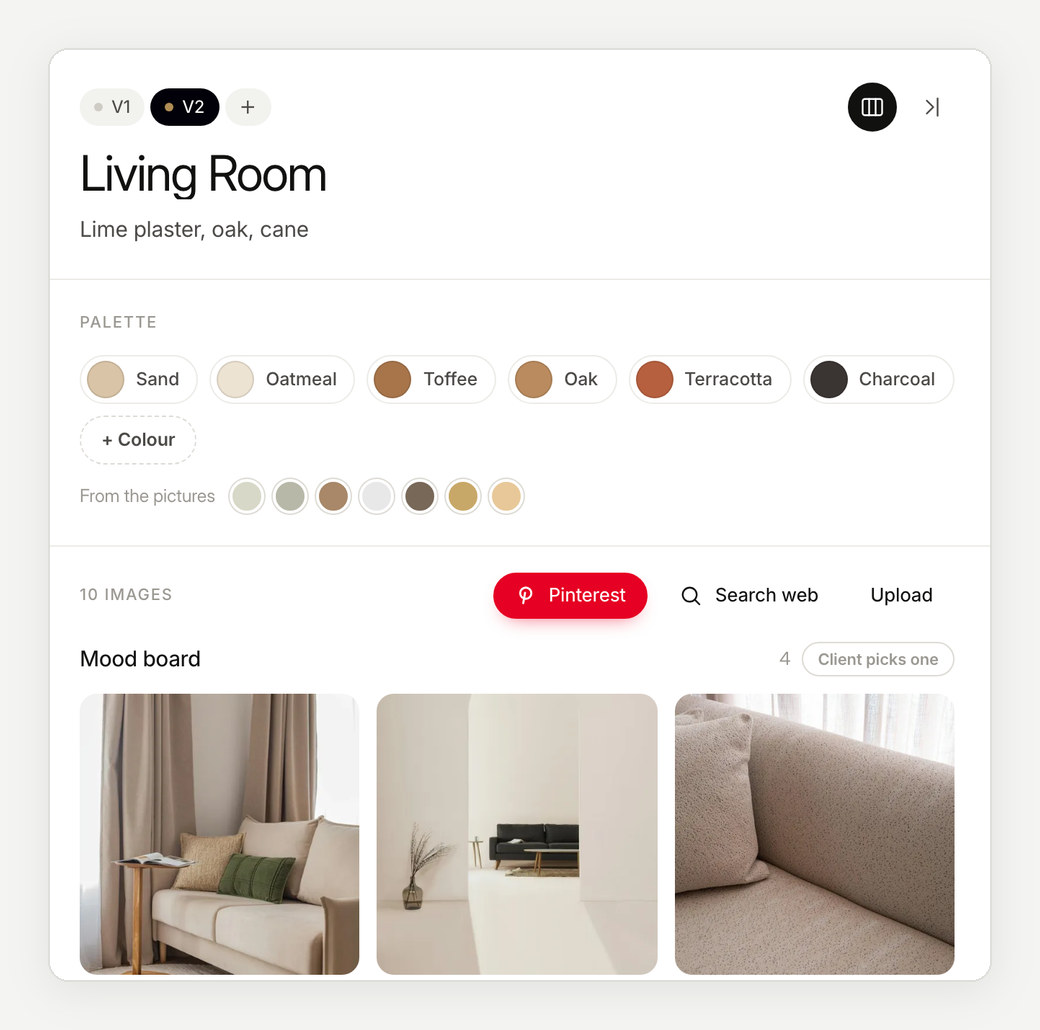
Each presentation opens on a cover with your studio's name, then the floor overview, then one page per room with its plan close-up, palette, materials and images.
Present it full screen in the studio, send it as a PowerPoint, or share the link. All three come from the same work, so they never disagree.
Made to be opened on a phone.
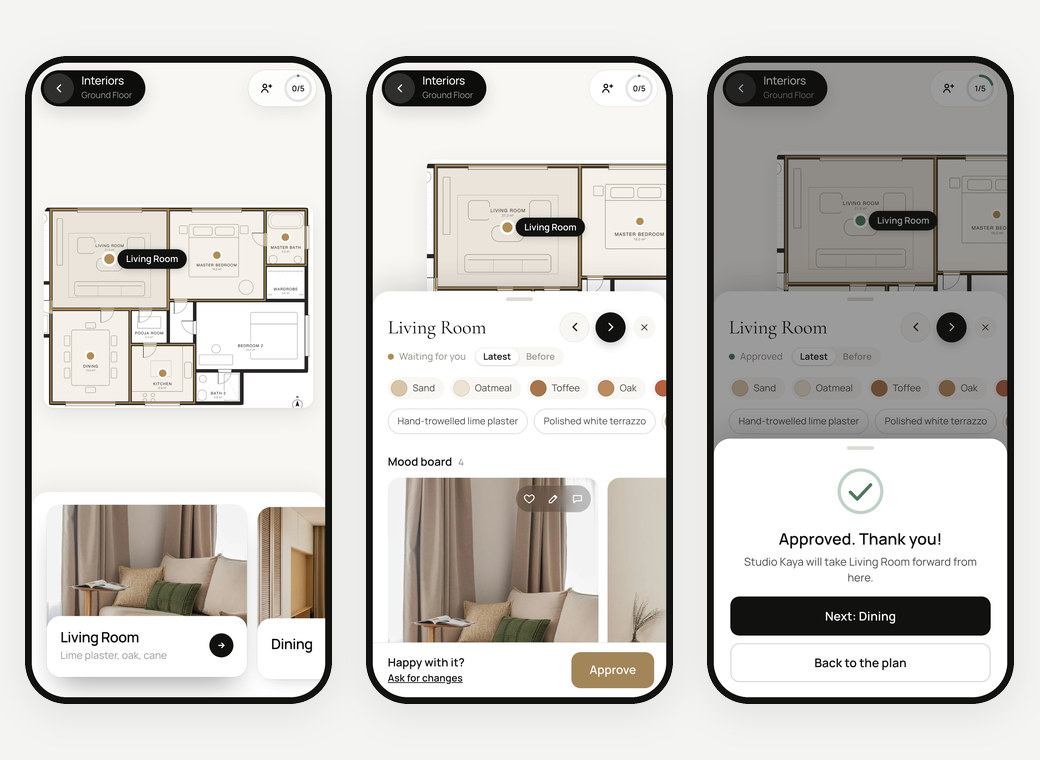
Clients rarely sit down with a 40-page PDF. A design book opens on any phone, tablet or computer, with nothing to install and no account to make.
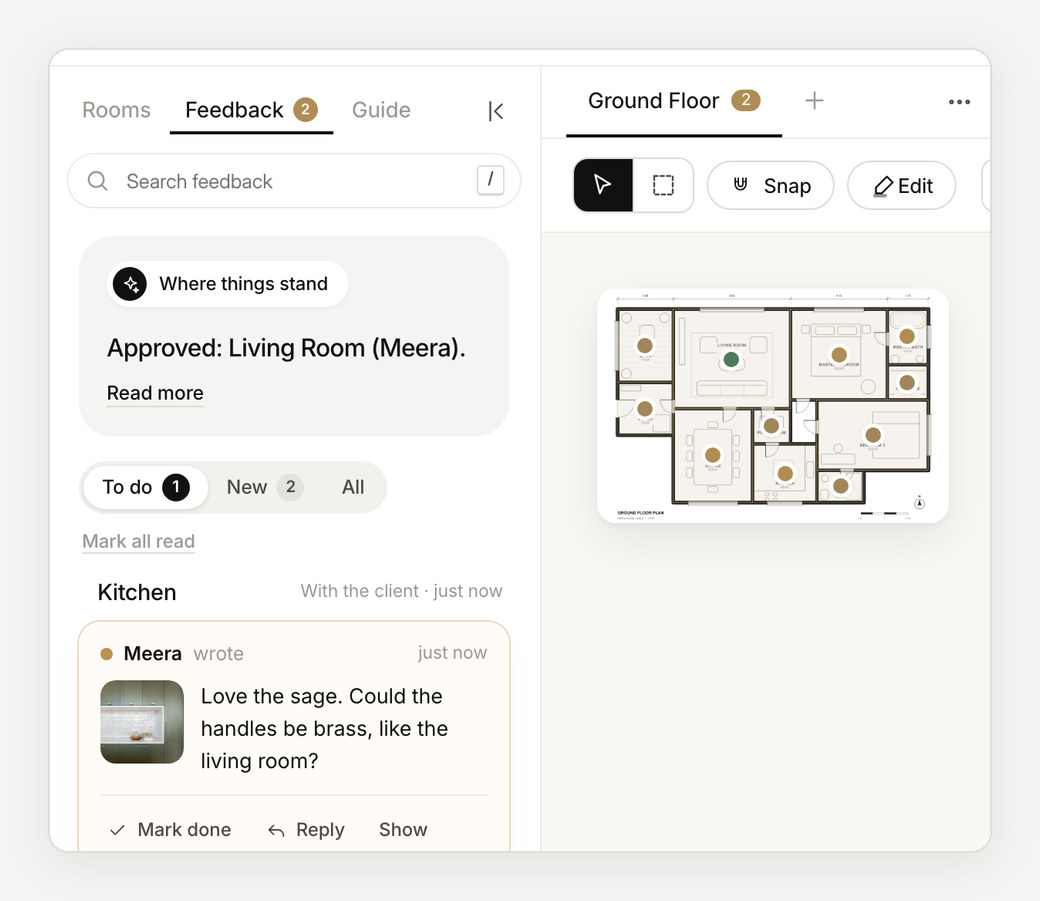
They tap a room on their plan, see its board, heart what they love and approve it. Notes on what should change come back to you pinned to the exact image.
How it works
From plan to approval, in three steps.
- 01
Drop in your plan
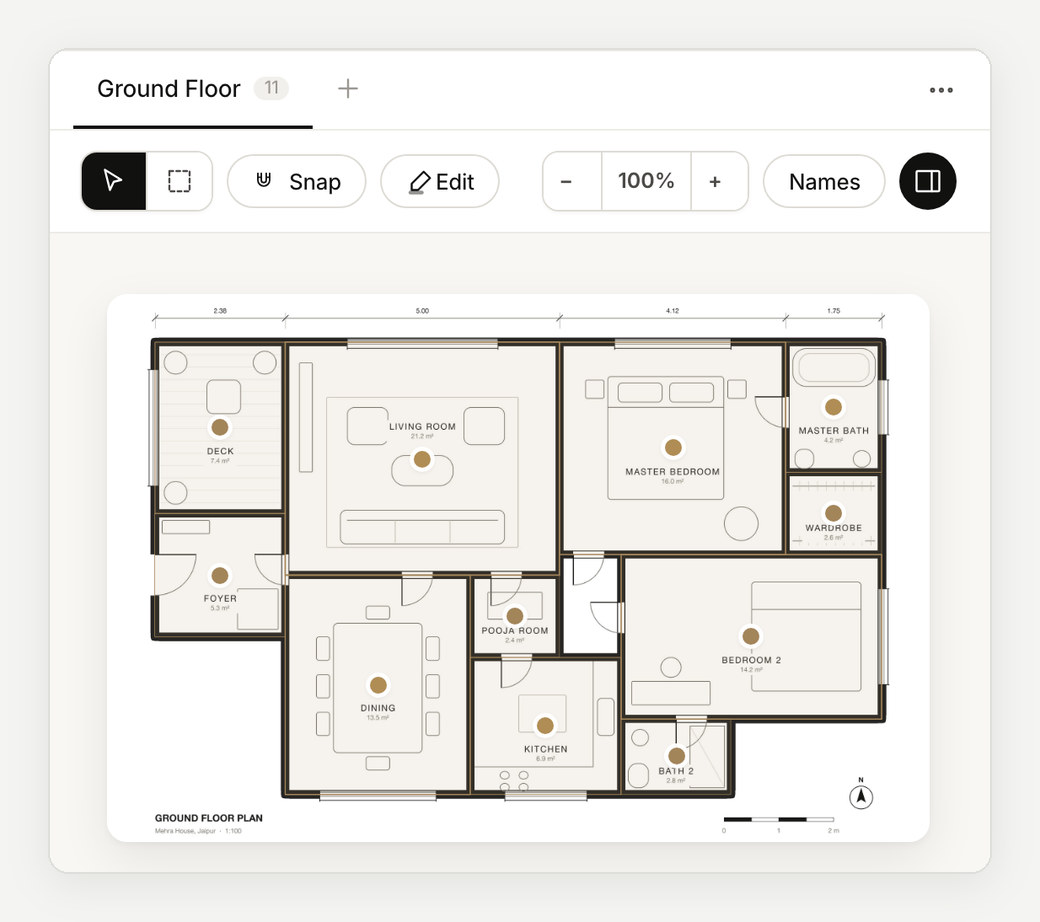
A PDF from your CAD software, or an image. Every room is marked for you to check.
- 02
Give each room its board
Images from Pinterest, the web or your files, with the palette and notes.
- 03
Present and send
Full screen in the meeting, as a PowerPoint, or as one link on WhatsApp or email.
Questions
Can I still give clients a PowerPoint?
Yes. Every project builds its own PowerPoint: a cover, the floor overview and a slide for each room with its plan close-up beside its images.
Which plan files can I use?
A PDF exported from AutoCAD, ArchiCAD, Revit or SketchUp works best, or an image of the plan. A multi-page PDF lets you pick the floors.
Does my client need to install anything?
No. They open a private link on their phone or computer. There is nothing to download and no account to make.
What does it cost?
Your first project is free, with everything in it. After that, pay per project or go unlimited with Studio. See pricing.
More about Enfilade
- Client approval softwareA clear yes for every room, on record.→
- Mood board software for interior designersMood boards that live on the floor plan.→
- For architectsYour floor plan, now a clickable design book.→
- For interior designers and architects in IndiaDesign approvals the whole family can give.→
- Enfilade, the wordWhat is an enfilade?→
- About EnfiladeWhat is Enfilade?→
- Why EnfiladeStudios design with care. Then the decisions get lost in a chat thread.→
- CompareHow Enfilade compares.→